#1 Background Remover for pros
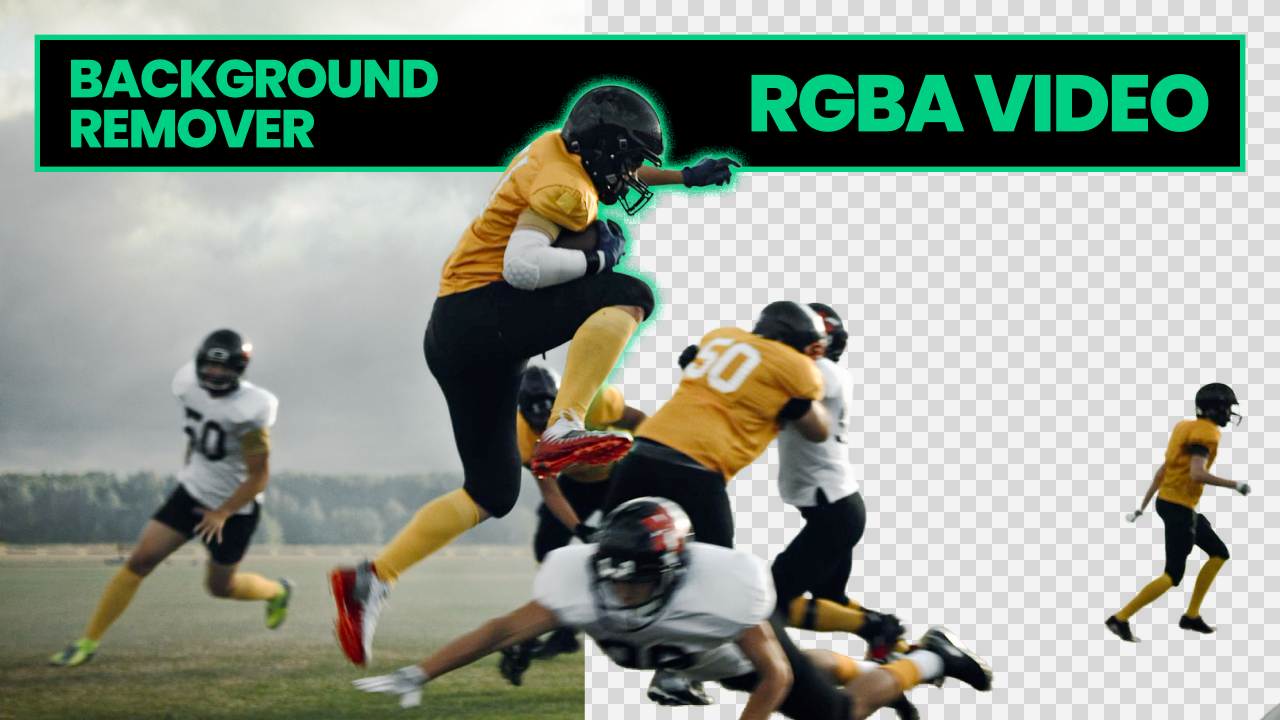
Clean alpha mattes. Video support. MOV with alpha channel. PNG sequence export. Beeble Background Remover is the only tool that combines AI automation with the output quality and formats that professional compositing workflows demand.
The background removal gap
If you work in post-production, you already know the landscape.
On one side, consumer tools like remove.bg and Canva give you one-click background removal for still images. They're fast, they're cheap, and they work well enough for social media graphics. But try running footage through them and you'll get soft edges, haloing around hair, and output formats that don't fit into a real pipeline. There's no alpha channel you'd trust in a comp.
On the other side, professional tools deliver broadcast-quality results. Rotobrush in After Effects, Nuke's keyers, DaVinci Resolve's Magic Mask — these produce mattes you can actually use. But they require significant manual work per shot, expensive licenses, and often frame-by-frame cleanup for difficult edges.
For a long time, Unscreen occupied the narrow space between these two worlds: dedicated video background removal that was easy to use and produced reasonable results. When Unscreen shut down on December 1, 2025, after its acquisition by Canva, it left a gap that neither consumer tools nor manual pro workflows could fill.
No tool currently offers AI automation, pro-grade alpha quality, and pro export formats in one package. Beeble Background Remover does — and that's why it's the best option for professionals.
Why pros choose Beeble
Every feature in Beeble Background Remover is built around the things that actually matter in professional workflows: alpha quality, edge handling, and export formats that integrate with compositing software.
Clean alpha mattes
The core of any background removal tool is its matte quality. Beeble Background Remover generates clean alpha channels that handle the hard cases — hair strands, fur, semi-transparent materials, and fine edges that trip up most automated tools.
This isn't the binary mask you get from consumer tools where every pixel is either fully opaque or fully transparent. The output preserves partial transparency at edges, which means you get natural-looking composites without the telltale fringe that screams "keyed footage."
Video background removal
Most background removal tools are built for still images. The ones that claim video support typically process each frame independently, which produces temporal flickering and inconsistent edges across the sequence.
Beeble Background Remover processes video as video. The result is temporally coherent alpha mattes — edges that stay consistent from frame to frame, without the shimmer and crawl that make per-frame approaches unusable in production.
Pro export formats — MOV with alpha and PNG sequences
This is where the tool starts to matter for professional workflows.
The output isn't a compressed video with a green screen behind it. Beeble gives you two pipeline-ready export options:
RGBA video (MOV with alpha channel) — A single MOV file with an embedded alpha channel, ready to drop into your timeline. This is the fastest path from extraction to comp: one file, full transparency, no assembly required. It works natively in After Effects, DaVinci Resolve, Final Cut Pro, and any editor or compositor that supports RGBA video.
PNG sequences — Individual PNG 8-bit frames with embedded alpha channels, the standard interchange format for VFX work. Lossless, frame-accurate, and compatible with every professional tool — After Effects, Nuke, DaVinci Resolve, and any compositing application that reads image sequences.
Both formats preserve the full alpha matte quality. Choose MOV when you want a single-file workflow; choose PNG sequences when you need per-frame control or maximum interoperability. No re-encoding, no format conversion, no quality loss between extraction and comp.
Pro-level controllability
One-click tools make a single decision about what's foreground and what's background. That works when the answer is obvious. It doesn't work when you need to keep a specific object, isolate hands but not arms, or handle a scene where the "subject" isn't clearly defined.
Beeble Background Remover gives you control over the extraction process. You can guide the tool toward the result you need rather than hoping the automatic detection gets it right. This is the difference between a tool you use for quick social posts and a tool you build a pipeline around.
Where it fits in real workflows
Film and television VFX
Plate preparation is one of the most time-consuming parts of VFX work. Pulling clean mattes from live-action footage — especially footage that wasn't shot on a controlled stage — eats hours of artist time per shot. Beeble Background Remover handles the initial extraction, giving compositors a clean starting point that they can refine rather than build from scratch.
YouTube and online video production
Content creators who produce at volume need background removal that scales. Shooting every video in a studio with controlled lighting isn't practical when you're publishing daily. Beeble lets you shoot anywhere and handle the background in post, with output quality that holds up on screen.
Advertising and commercial work
Agency timelines are tight. When a client needs footage composited over a new background for a campaign, the traditional approach — manual rotoscoping or reshooting on green screen — takes days. Beeble compresses that to minutes, with quality that meets broadcast standards.
Motion design and compositing
Motion designers regularly need isolated subjects for composites, title sequences, and multi-layer animations. MOV with alpha channel and PNG sequence output mean the extracted footage integrates directly into existing project files without intermediate rendering steps.
How Beeble compares
| Capability | Consumer tools (remove.bg, Canva) | Pro tools (AE Rotobrush, Nuke) | Beeble Background Remover |
|---|---|---|---|
| Image background removal | Yes | Yes | Yes |
| Video background removal | Limited | Yes | Yes |
| Alpha matte quality | Consumer-grade | Broadcast-grade | Pro-grade |
| Hair and fine edge handling | Soft, haloed | Clean (manual work) | Clean (automated) |
| RGBA video (MOV with alpha) | No | Yes | Yes |
| PNG sequence export | No | Yes | Yes |
| Manual effort required | None | High | Low |
| Controllability | None | Full | Adjustable |
| Batch processing | No | No | Yes |
| Cloud processing | Yes | No | Yes |
| Pipeline integration | Limited | Native | Native |
| Cost | Low | High (license + labor) | Credit-based |
No other automated tool gives you broadcast-quality mattes in pipeline-ready formats. Traditional pro tools get you there, but at the cost of hours of manual work per shot. Beeble is the only option that delivers both.
How it works
The workflow is straightforward:
- Upload your image or video footage
- Configure the extraction — adjust settings to guide the matte toward the result you need
- Process — Beeble generates the alpha matte
- Download your result as PNG (image), MOV with alpha channel, or PNG sequence (video) with embedded alpha
Processing runs on cloud GPUs, so it doesn't matter what hardware you're working on locally. The heavy computation happens server-side.
Beeble Background Remover is available on credit-based pricing as part of the Beeble platform.
Part of a larger VFX platform
Background removal doesn't exist in isolation. In most workflows, it's one step in a larger pipeline — you extract the subject, then you need to relight it, place it in a new environment, or match it to a different scene's lighting.
Beeble is a full VFX platform that includes relighting, PBR extraction, and generative video transformation alongside background removal. A subject you extract with Background Remover can move directly into Beeble's other tools without leaving the platform or converting between formats.
This isn't a standalone utility bolted onto a website. It's a pipeline tool built by a team that understands how VFX work actually gets done.